
The Myth of the Slow App
Every e-commerce store owner is told the same frustrating lie: “Delete your apps if you want a fast site.” This is unacceptable. Apps drive revenue, manage inventory, and handle reviews. Therefore, a successful store provides both speed and functionality.
If your PageSpeed score is stuck in the 60s or 70s, you are actively losing money, as customers abandon slow pages. The root cause is almost never the apps themselves, but how they load. This guide delivers the 90+ mobile speed score you need by applying the same technical optimizations used on enterprise-level sites
- You will learn why LCP is the one metric that kills conversions and how to fix it immediately using Critical CSS.
- We reveal how to eliminate sudden page movement (CLS) by mastering simple image dimensions.
- Furthermore, we show you how to defer and delay every non-essential script until after the user can see your product.
The LCP Killer: Critical CSS and Fixing Render-Blocking Resources
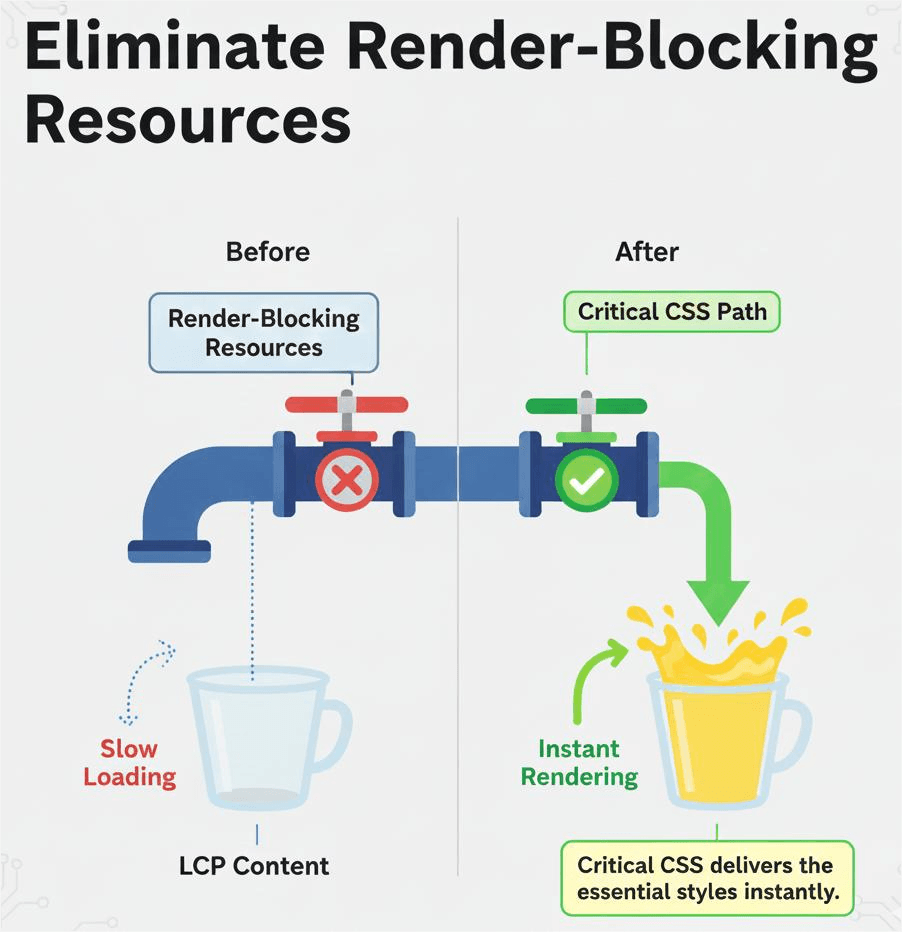
The most important speed metric is the Largest Contentful Paint (LCP). This measures how quickly the main element (usually the hero image or a large block of text) appears on the user’s screen. When your LCP is high (over 2.5 seconds), you instantly start losing conversions.
Problem Simplified: The Render-Blocking Headache
When a customer visits your product page, the browser must stop everything and download every single CSS and JavaScript file for the entire site before it can display the main product image. This download queue is known as render-blocking. It forces the customer to stare at a blank screen or a half-loaded page—a disaster for conversions.
Solution 1: The Critical CSS Strategy (Fixing LCP)
To achieve a 90+ mobile speed score, you must apply the Critical CSS (UCSS) Strategy.
- What it is: Critical CSS is the tiny fraction of code—less than 10%—that is absolutely necessary to render the visible portion of the page (the “above the fold” content).
- How it works (Conceptual): Instead of forcing the browser to wait for every file, you load only this small, essential code inline with the HTML. This allows the primary product image to appear instantly.
- Strategic Action: Use optimization plugins (or theme settings) to generate and load this UCSS first. This alone often knocks seconds off your LCP time, transforming your speed score instantly.
Solution 2: Deferring All Non-Essential CSS
Once the critical styles are loaded, the remaining 90% of your stylesheets must be loaded asynchronously (in the background). This means the browser continues to display content while silently fetching the rest of the style files.
- The Result: The customer sees your product immediately, and the rest of the page styling (like footer styles or sidebar effects) loads seamlessly afterward.
Stopping CLS Shifts: Lazy Loading and Image Dimension Mastery
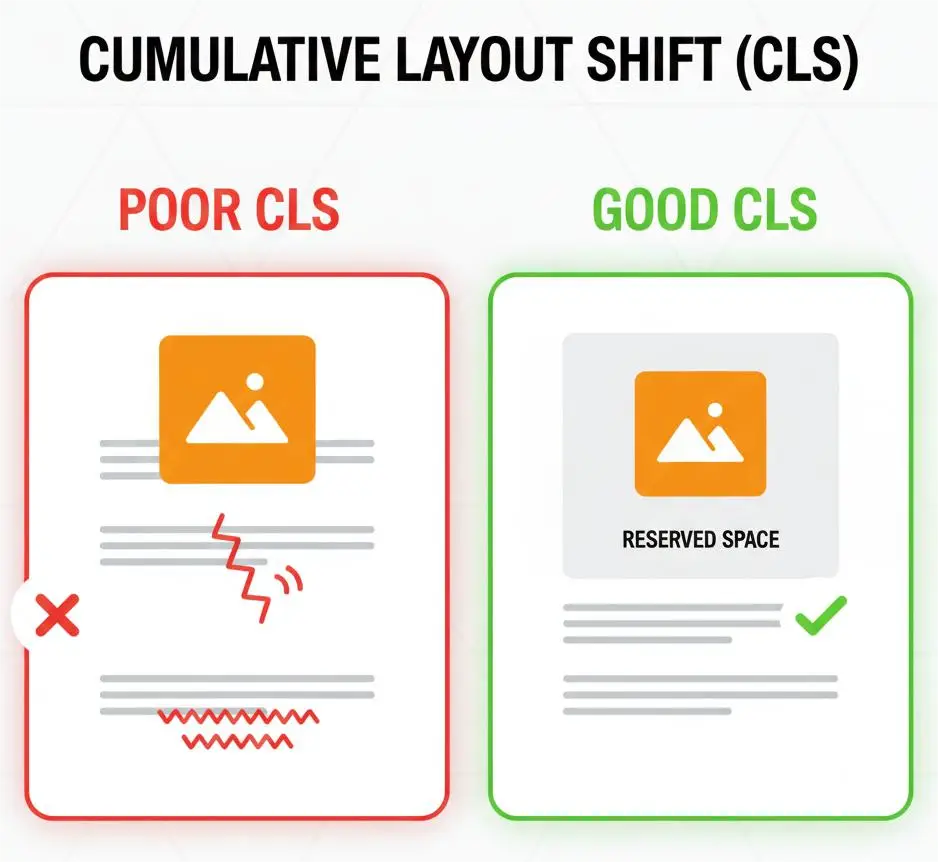
The second Core Web Vital killer is Cumulative Layout Shift (CLS). This measures the unexpected movement of content on your page. Consequently, high CLS scores create frustrating page jumps that lead users to misclick and abandon checkout.
Problem Simplified: The Sudden Jump
CLS is almost always caused by images, ads, or embedded content (like YouTube videos) loading without having their final dimensions reserved in advance. When the page initially loads, it doesn’t know the image size, so it leaves a small gap. When the large image file finally arrives, it forces all the text and buttons below it to suddenly shift down.
Solution 1: Image Dimension Mastery (The CLS Fix)
This is the simplest fix for CLS, yet the most commonly overlooked:
- Strategic Action: Ensure every single image you upload has its dimensions (width and height) specified in the code. For example, if you reserve the space for a 600×400 image, the page will hold that space and the content below will never jump when the image eventually loads. This is a primary driver to reach the coveted 90+ mobile speed score
Solution 2: Strategic Lazy Loading
Lazy loading (delaying image loading until the user scrolls down) is helpful, but if done incorrectly, it increases LCP.
- Crucial Mistake: Never lazy-load the main LCP element (e.g., the large product image at the top of the page). Delaying the main image will slow down your LCP score.
- Strategic Action: Use your optimization settings to exclude the LCP image from lazy loading. Only apply lazy loading to images below the fold.
Taming the JavaScript Beast: Delaying Execution and App Management
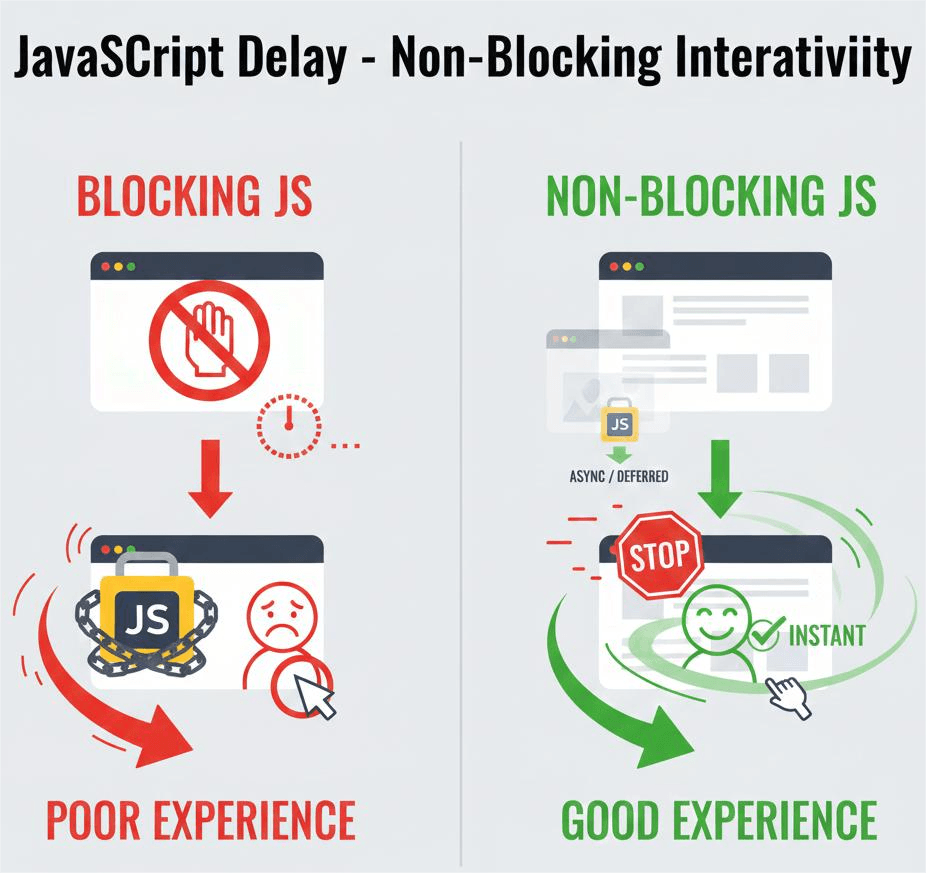
JavaScript (JS) from third-party apps is the number one cause of slow First Input Delay (FID) and Interaction to Next Paint (INP). These metrics measure how fast your page responds to a user’s click or tap. When the browser is overloaded processing app scripts, it ignores user input, leading to a massive delay.
Solution 1: Delaying Execution
This is the most powerful tool for improving interactivity metrics: Delay JavaScript Execution.
- How it Works (Conceptual): Scripts for non-essential features (e.g., live chat widgets, review pop-ups, third-party trackers) are simply paused. Therefore, these scripts only begin to load after the user interacts with the page (e.g., scrolls, clicks, or moves the mouse).
- The Result: Your page becomes interactive immediately because the browser isn’t wasting time processing scripts the user hasn’t asked for yet. This is a primary driver to reach the 90+ mobile speed score.
Solution 2: Smart App Audit (The Consultant’s Edge)
Instead of deleting apps, audit them. Use conceptual tools (like the Chrome DevTools Coverage tab) to identify which apps are loading massive, unused JS files.
- Strategic Action: Target only the worst offenders for optimization. Look for apps that load the same libraries multiple times (redundancy) and replace them with lighter alternatives.
The E-commerce 7-Point Speed Guarantee Checklist
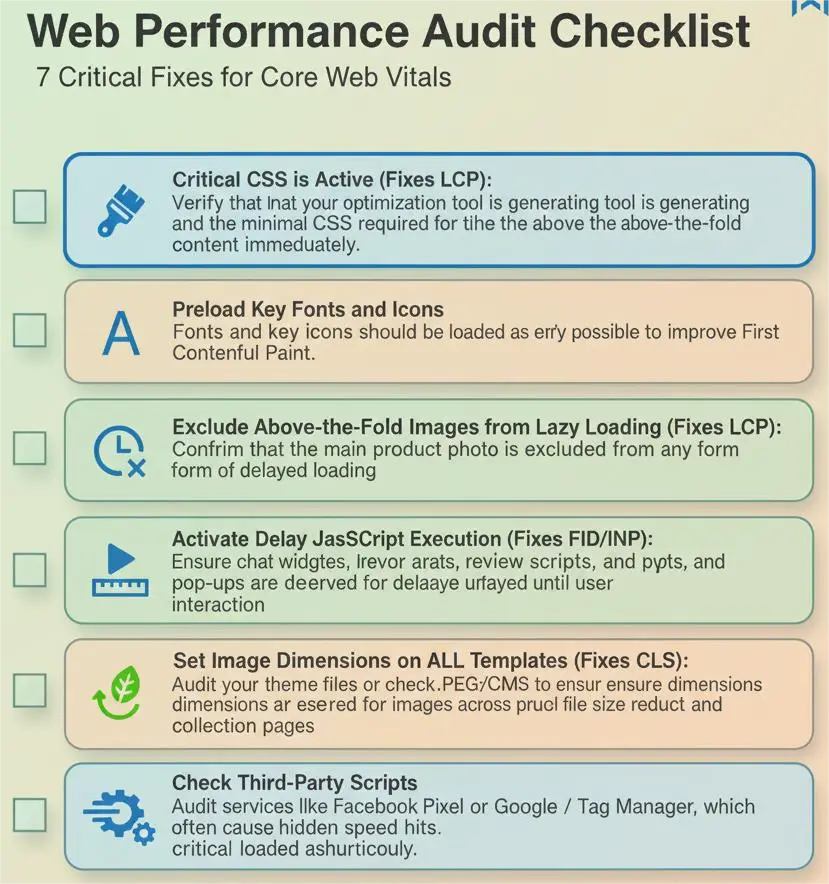
This section solidifies the advice into a high-value, step-by-step audit for the client, providing maximum actionable detail.
- Critical CSS is Active (Fixes LCP): Verify that your optimization tool is generating and loading the minimal CSS required for the above-the-fold content immediately.
- Preload Key Fonts and Icons: Fonts and key icons should be loaded as early as possible to improve the First Contentful Paint.
- Exclude Above-the-Fold Images from Lazy Loading (Fixes LCP): Confirm that the main product photo is excluded from any form of delayed loading.
- Activate Delay JavaScript Execution (Fixes FID/INP): Ensure chat widgets, review scripts, and pop-ups are delayed until user interaction.
- Set Image Dimensions on ALL Templates (Fixes CLS): Audit your theme files or check your CMS to ensure dimensions are reserved for images across product and collection pages.
- Serve Images in Next-Gen Formats: Convert large JPEGs/PNGs to WebP or AVIF formats. This is a crucial file size reduction that helps LCP.
- Check Third-Party Scripts: Audit services like Facebook Pixel or Google Tag Manager, which often cause hidden speed hits. If the script is critical, ensure it is loaded asynchronously.
The 90+ Score Barrier: What Happens Next?
Once you hit 90, you are competing at the highest level. You must focus on continuous monitoring and strategic link-building to maintain that edge. Therefore, the Core Web Vitals score is not a one-time fix; it requires constant maintenance as your store and apps evolve.
Frequently Asked Questions (FAQs)
- Q: Does switching to WebP images hurt SEO?
- A: In short, no. Google officially recommends next-gen image formats. You should always use a fallback (like JPEG) for older browsers.
- Q: Is it safe to defer the loading of my review app script?
- A: Generally, yes. The review stars and content are essential, but the actual script for loading and processing the reviews can be safely delayed until the user scrolls down to that section.
- Q: My score is 75. Will fixing LCP automatically push me to 90?
- A: Not automatically. While LCP is the biggest factor, you must also eliminate CLS shifts and reduce JavaScript execution time to clear the 90+ mobile speed score barrier..
- Q: What is the difference between a high LCP and a high FID?
- A: LCP measures when content appears (speed of loading); FID measures when the page becomes usable and responds to clicks (speed of processing).
- Q: Should I use a CDN like Cloudflare if I’m already using LiteSpeed Cache?
- A: Absolutely. A CDN (Content Delivery Network) speeds up global delivery, while caching optimizes the local server response. They work together for maximum speed.
Final Thoughts: Beyond the 90 Score, Towards Profit
The 90+ mobile speed score is not a vanity metric—it is a clear profit metric. Every one-second delay in page load time costs you significant conversions. By implementing these strategic Core Web Vitals fixes—mastering Critical CSS, eliminating CLS shifts, and delaying JavaScript execution—you keep your revenue-driving apps while simultaneously dominating the mobile speed game.
This is the ultimate competitive advantage.
- For example, these speed fixes also improve your indexing priority. If your [Shopify Products are Not Ranking] (Link to Post #1), fixing LCP is your critical first step.
- Authority Link: For a deeper understanding of the metrics we discussed, consult [Google’s official Core Web Vitals documentation] (Link to a Google Web Devs article) to reinforce your expertise.
:Furthermore, managing these complex CSS/JS optimizations is time-consuming and often requires hands-on code management. If you need hands-on execution to achieve a guaranteed 90+ mobile speed score and sustain it, review our [Core Web Vitals Consulting Services] (Link to Services Page)